News
Nov 26 2025 - Subscription Policy
Subscription Policy Change
To keep things simple and aligned with App Store policies, AvTraffic requires an active App Store subscription to access premium features. Previously, we allowed unlocking premium features by sharing an AvTraffic login, but this option will be discontinued. Like all Apple subscriptions, your AvTraffic subscription works across all devices signed in with the same Apple ID.
If you were using the login-sharing method, please transition to an App Store subscription to continue accessing premium features. Thank you for your support!
This change will take effect on January 1 2026.
Please note that this change does not affect corporate accounts.
Oct 24 2025 - Barometric Pressure Sensor
For a couple of years, Apple has required apps that need access to the barometric pressure sensor to ask for permission. Counterintuitively, they have categorised this sensor under 'Motion & Fitness'. Understandably, you may think this is not necessary and reply 'no'.
However, AvTraffic uses this to calculate pressure altitude and altitude AMSL. This is important for showing relative altitudes to other aircraft.
A new FAQ explains why. You can read more about it here
Aug 15 2025 - V7.3
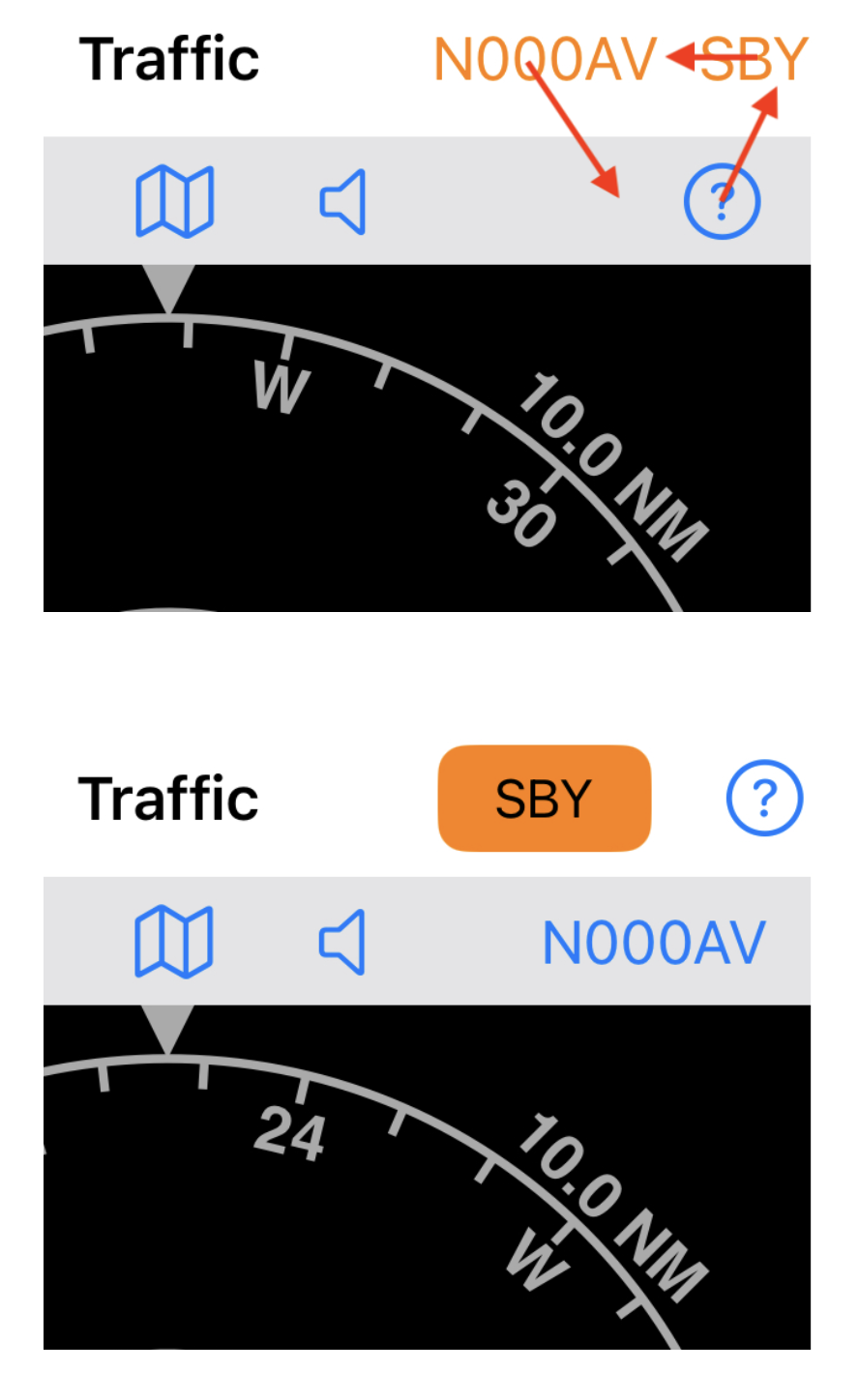
V7.3 - Aircraft Selection, Mode and Assistance Buttons
- The aircraft selection button (showing the callsign) has moved down to the toolbar where it looks more like a selectable item.
- The assistance button has moved up to a more prominent position.
- The mode button (showing Active ACT or Standby SBY) has been enhanced to make it more obvious. It now sits to the left of the assistance button.
Jul 01 2025 - V7.2
V7.2 - User interface Improvements
Improvements to the user experience particularly for new users opening AvTraffic for the first time.
- New assistance button opens an adaptive help view that assists in getting started.
- More intuitive zoom buttons in new location.
- Clearer colours for the target source bars. These are the coloured bars to the right of each aircraft on the details view that indicate the source of the traffic information.
- Default setting for traffic annunciation switch is now on for new users.
May 20 2025 - Version 7+
V7.0 - Performance Improvements
This update has been up and running smoothly since early April. It includes backend performance improvements for a faster and more efficient experience.
The time between position reports has been reduced to one second and the time between traffic queries is now greatly reduced. As before, smart prediction assures that any delays are accounted for accurately.
V7.1
Traffic warning times have been reduced to line up with accepted global industry norms.
The first warning now comes at 45 seconds down from 90. The second warning now comes at 25 seconds down from 45.
Feb 22 2025 - V6.9
Aircraft Profile - Pressurisation
For pressurised aircraft, switch this on to disable the barometer in the device and avoid the possibility of cabin altitude being mistaken for pressure altitude.
When off, the pressure altitude from the barometer in the device will be broadcast and used to compare altitudes with other aircraft.
Aircraft Profile - Para/Hang Glider
Switch this on for any low speed or low altitude types such as hang gliders, paragliders, paramotors, trikes and the like. Leave it off for all other types.
This is used to set the speed and height parameters that are used to detect takeoff and landing.
Sign Out
This fixes a minor issue where some local data was not being cleared out after sign out.